Key Takeaways
- On-page SEO is one of the most important parts of search engine optimization.
- It focuses on optimizing individual web pages so they can rank higher in search engines and attract more relevant traffic.
- If your website content is not properly optimized, even high-quality articles may struggle to rank on Google.
- This guide explains everything beginners need to know about on-page SEO, including techniques, examples, and best practices.
- On-page SEO refers to all the optimization techniques applied directly on a webpage to improve its search engine rankings.
- It helps search engines understand:What your content is aboutWhich keywords you are targetingHow useful your page is for usersOn-page SEO also improves user experience, readability, and website structure.
On-page SEO is one of the most important parts of search engine optimization. It focuses on optimizing individual web pages so they can rank higher in search engines and attract more relevant traffic.
If your website content is not properly optimized, even high-quality articles may struggle to rank on Google.
This guide explains everything beginners need to know about on-page SEO, including techniques, examples, and best practices.
What Is On-Page SEO?
On-page SEO refers to all the optimization techniques applied directly on a webpage to improve its search engine rankings.
It helps search engines understand:
- What your content is about
- Which keywords you are targeting
- How useful your page is for users
On-page SEO also improves user experience, readability, and website structure.
Why On-Page SEO Is Important
Proper on-page SEO helps:
- Increase organic traffic
- Improve search engine rankings
- Enhance user experience
- Boost click-through rates (CTR)
- Improve website engagement
Without on-page optimization, search engines may struggle to understand your content.
Key Elements of On-Page SEO
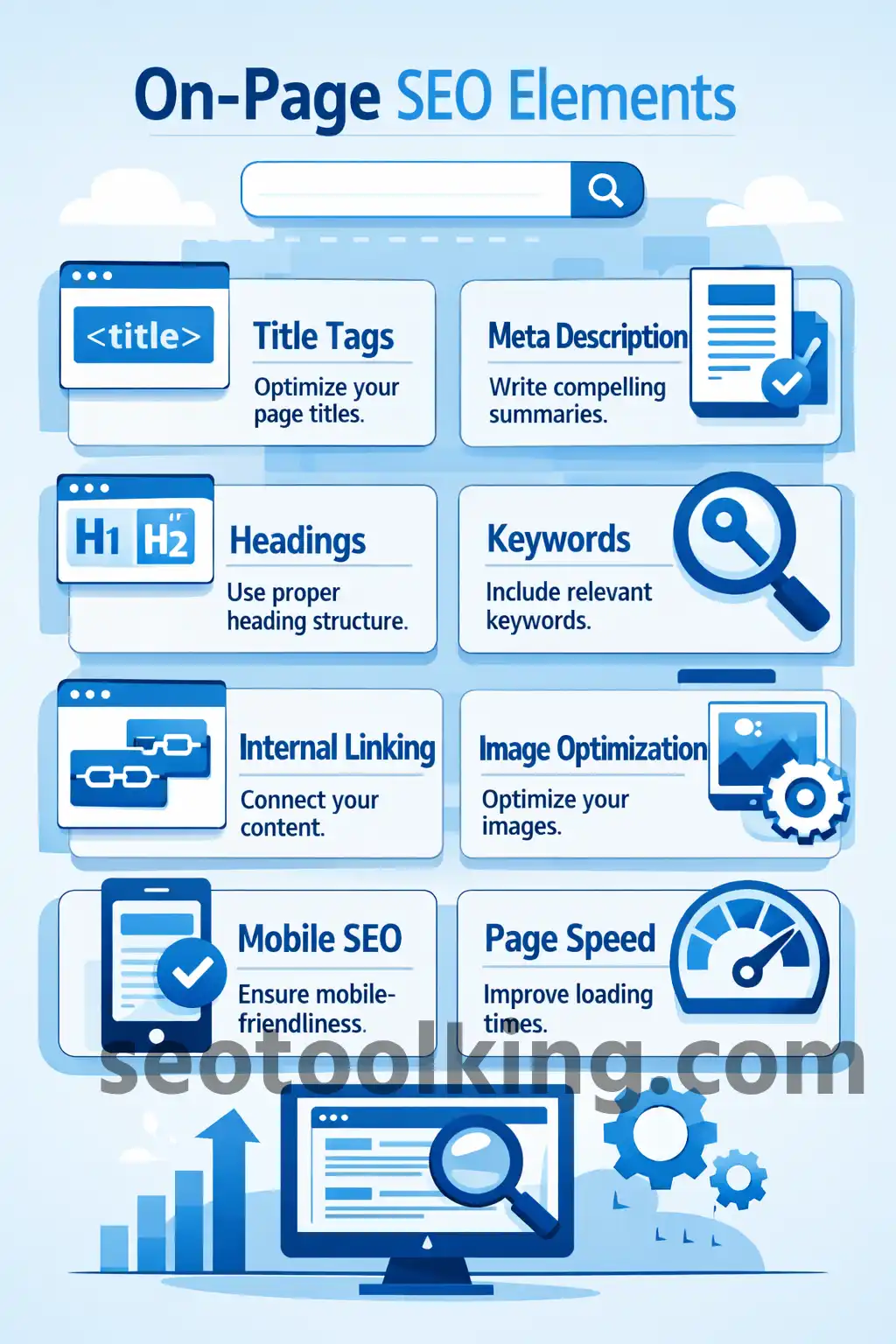
1. Title Tags
The title tag is the clickable headline shown in search results.
It is one of the strongest on-page SEO signals.
Best Practices
- Include your main keyword
- Keep it under 60 characters
- Make it attractive and clear
Example
Good Title:
“How to Learn SEO for Beginners”
Bad Title:
“SEO SEO SEO Guide Best SEO Tips”
2. Meta Descriptions
Meta descriptions summarize the page content.
Although they are not a direct ranking factor, they improve click-through rates.
Best Practices
- Keep between 150–160 characters
- Include the target keyword
- Write naturally and clearly
Example
“Learn on-page SEO techniques including title tags, keyword placement, internal linking, and content optimization.”
3. URL Structure
SEO-friendly URLs are short, clean, and descriptive.
Good URL Example
yourwebsite.com/on-page-seo-guide
Bad URL Example
yourwebsite.com/post?id=12345
4. Heading Tags (H1, H2, H3)
Headings organize your content and improve readability.
Heading Structure Example
- H1 → Main title
- H2 → Main sections
- H3 → Subsections
Proper heading structure helps both users and search engines understand the content.
5. Keyword Optimization
Keywords help search engines understand page topics.
Where to Place Keywords
- Title tag
- Meta description
- URL
- Headings
- First paragraph
- Image alt text
Avoid Keyword Stuffing
Bad Example:
“Best SEO tools SEO guide SEO tips best SEO”
Use keywords naturally instead.
6. Content Quality
High-quality content is essential for ranking.
Good Content Should Be
- Helpful
- Original
- Well-structured
- Easy to read
- Informative
Search engines prioritize content that satisfies users.
7. Internal Linking
Internal links connect pages within your website.
Benefits
- Helps search engines crawl pages
- Improves navigation
- Distributes page authority
- Keeps visitors engaged longer
Example
From an article about keyword research, link to:
- Search intent guide
- Long-tail keyword article
8. Image Optimization
Images improve user experience but should also be optimized.
Best Practices
- Compress images for faster loading
- Use descriptive file names
- Add alt text
- Use responsive images
Example Alt Text
“On-page SEO checklist infographic”
9. Mobile Optimization
Your website should work properly on smartphones and tablets.
Google uses mobile-first indexing, meaning mobile usability strongly affects rankings.
10. Page Speed
Fast-loading websites improve:
- User experience
- Engagement
- SEO rankings
Tips to Improve Speed
- Compress images
- Use caching
- Minimize code
- Use fast hosting
11. User Experience (UX)
Search engines prefer websites that users enjoy using.
Improve UX By
- Using clear navigation
- Creating readable layouts
- Avoiding intrusive popups
- Using simple fonts and spacing
On-Page SEO Checklist
Before Publishing Content
✔ Include primary keyword in title
✔ Write optimized meta description
✔ Use headings properly
✔ Add internal links
✔ Optimize images
✔ Check mobile responsiveness
✔ Improve page speed
✔ Ensure readability
Example of On-Page SEO Optimization
Target Keyword:
“on-page SEO guide”
Optimized Elements:
- Keyword in title
- SEO-friendly URL
- H2 headings with related terms
- Internal links added
- Optimized images
- Helpful content structure
Result:
Better chances of ranking on Google.
Common On-Page SEO Mistakes
- Keyword stuffing
- Duplicate content
- Poor heading structure
- Slow page speed
- Missing meta descriptions
- Broken internal links
- Ignoring mobile optimization
Best Tools for On-Page SEO
| Tool | Purpose |
|---|---|
| Google Search Console | SEO monitoring |
| Yoast SEO | WordPress optimization |
| Ahrefs | SEO analysis |
| SEMrush | Keyword & SEO audit |
| Screaming Frog | Technical SEO crawl |
Beginner On-Page SEO Strategy
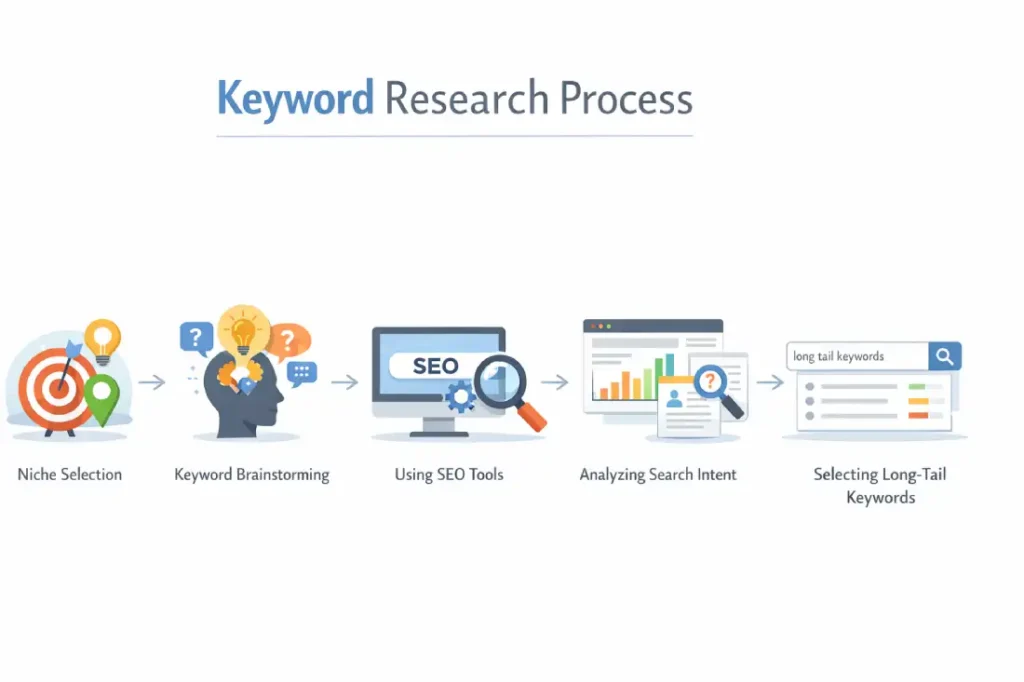
Step 1
Research target keywords
Step 2
Create helpful content
Step 3
Optimize page structure
Step 4
Add internal links
Step 5
Improve user experience
Step 6
Track SEO performance
on-page SEO, on-page SEO guide, SEO optimization, title tags, meta descriptions, keyword optimization, internal linking, SEO basics, beginner SEO, website optimization
FAQs About On-Page SEO
What is the difference between on-page SEO and off-page SEO?
On-page SEO focuses on website optimization, while off-page SEO focuses on backlinks and external signals.
Is on-page SEO important?
Yes, on-page SEO is essential because it helps search engines understand your content.
Can I do on-page SEO myself?
Yes, beginners can learn and apply basic on-page SEO techniques easily.
How long does on-page SEO take to work?
SEO results usually take weeks or months depending on competition and website quality.
Conclusion
On-page SEO is the foundation of a successful SEO strategy. By optimizing titles, content, keywords, images, and website structure, you help search engines understand your pages better and improve the user experience.
Consistent on-page optimization can lead to better rankings, higher traffic, and long-term website growth.
Related Articles